Part 2 — Set Up Your Company · Chapter 6
Users, Technicians & Access
People come in two overlapping flavors. Users are anyone with a login including internal users, customer users, and partner users. Technicians are people who can be assigned to work. This chapter creates both, tours the technician record, and covers finding someone’s login details and inactivating people when they leave.
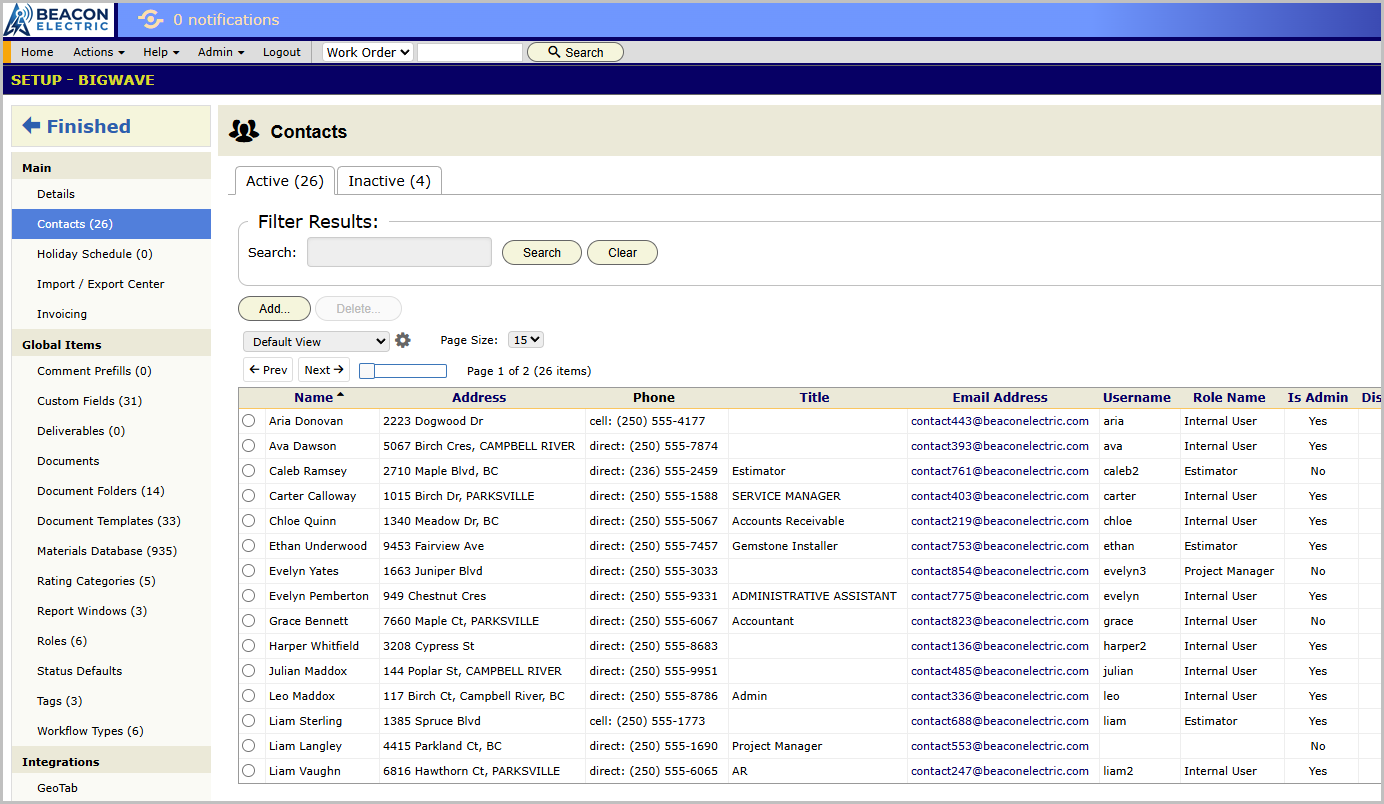
Creating internal users
Internal users are created under Setup/Contacts. For each person you set:
- Name and contact details.
- Role: which permission set applies.
- The Admin flag, sparingly. Admins can reshape company-wide settings and have complete access to everything in BigWave. Generally you only need two or three people to be admin.
- Time zone. Schedule times display in each user’s own zone.
Creating technicians
Technicians are added from Home/Manage/Technicians/Add Technician. A technician gets everything a user gets plus field-specific data.
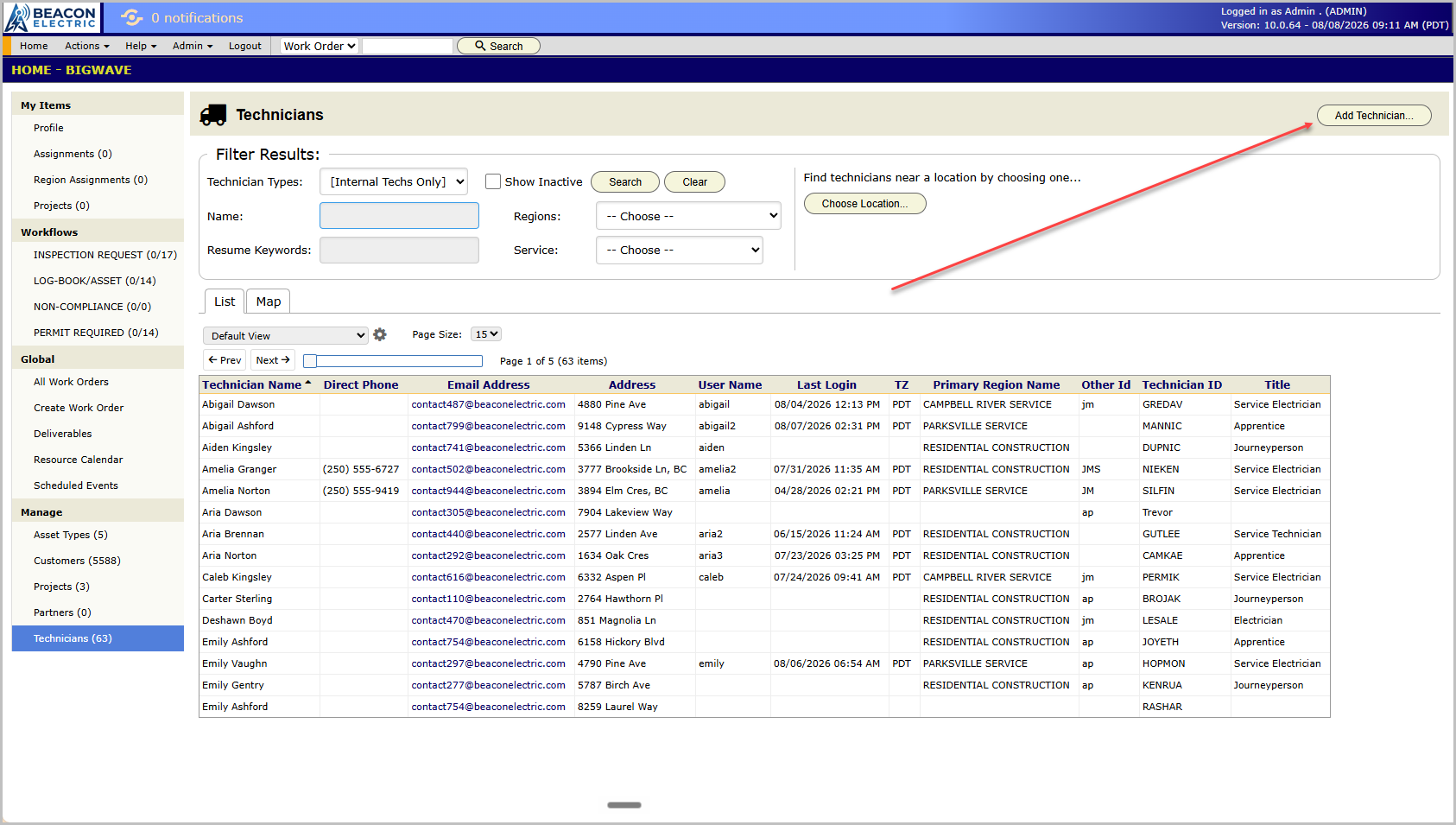
Role note: partner companies bring their own technicians. Those are created on the partner record, chapter 21, and dispatch just like your own, but their access flows through the partner.
The technician record
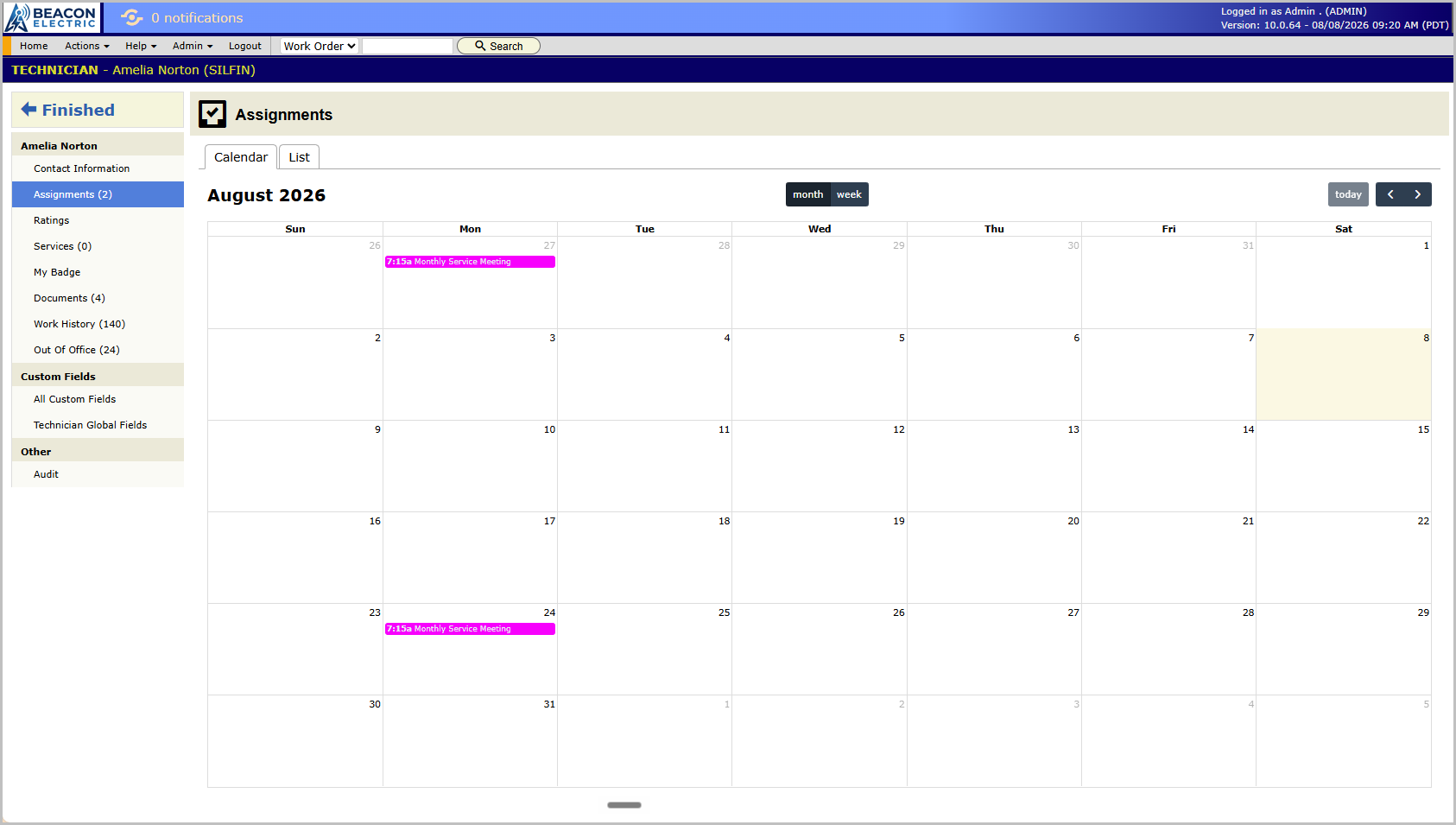
Open any technician from the Technicians grid. Their screen has:
- Assignments. Their upcoming and current work. The same list they see as My Assignments.
- Contact Information. Their person details, editable in place.
- My Badge. A presentable ID page with photo, name and credentials that a tech can pull up on their phone for site check-in. Some commercial customers require visible identification.
- Services. Which services this tech provides and at what rates, used when pricing their labor.
- Documents. Licenses, certifications, W-9s, insurance certificates.
- Work History. Every work order this tech has touched.
- Out Of Office. Personal time off. The resource calendar shades them out during it.
- Ratings. Their scores per rating category, if you use ratings. See below.
- Custom Fields and Audit, as on every record.
Ratings, briefly
If you score technicians per job, define the categories once under Setup/Technician Rating Categories. Workmanship, punctuality, whatever you’ll act on. Ratings are entered per work order on the Technician Ratings panel, and each tech’s record accumulates their averages. Skip the feature if you won’t act on the scores.
Departments and coverage
Internal users can belong to departments, which matter in two places: workflow routing, where a workflow sits in a department’s queue until someone picks it up (chapter 7), and reporting. Region assignment connects users to company geographical regions so the right dispatcher sees the right work orders in My Region Assignments.
When someone leaves
If you delete a person, their history is not lost. They will continue to appear in all of the records and work that they had done prior to their exit. You can also inactivate users if you have a need to disable them temporarily.
Checklist
- Every contact can be assigned a login.
- Set role when you create the user.
- Load each tech’s documents, licenses and insurance, at setup while they’re handy.
- Enter known vacations into Out Of Office as soon as they’re approved.